How does a Codex reset work?
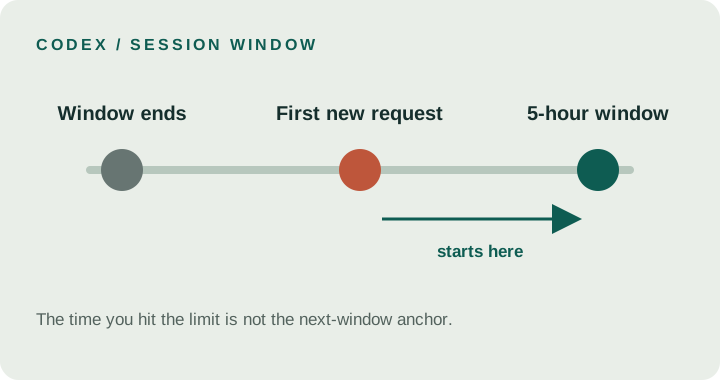
Depending on your plan, Codex usage can have a five-hour window and a weekly window. They are separate limits. OpenAI says a new five-hour window begins when you send your first message in Work or Codex after the previous window ends. That means the reset anchor is the first request after the old window closes, not simply the moment you first hit a usage message.
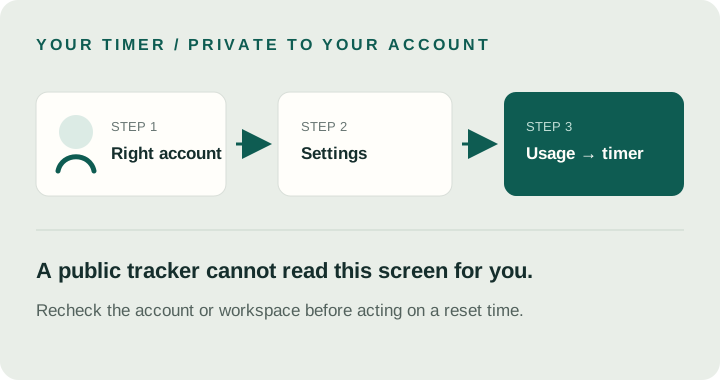
The weekly allowance has its own usage period. OpenAI directs users to Settings → Usage for current allowance and reset times, and notes that limits vary by plan. A public page can explain the rule; it cannot display your account’s private next-reset value.
Where can I see my Claude reset time?
Anthropic’s Pro and Max plan pages describe a session-based limit that resets every five hours. Those plans also have a weekly limit. The assigned weekly reset day and time are fixed for your account and do not change based on when you subscribe or begin using Claude. Anthropic says to check Settings → Usage for the next reset time.
Claude Code uses the plan limits associated with your Claude account, so a Claude Code usage limit may reflect the same plan pool. Check the account and plan shown in Usage before comparing a countdown with a public report.
| Question | Codex | Claude Pro / Max |
|---|---|---|
| Five-hour/session rule | Next window starts with the first request after the previous five-hour window ends. | Session-based usage limit resets every five hours. |
| Weekly reset | A separate weekly limit may apply; check the account's Usage page. | Weekly reset day and time are assigned to the account. |
| Where to check | ChatGPT Settings → Usage in the account or workspace you use for Codex. | Claude Settings → Usage for the signed-in account. |
| Can a public tracker show your personal timer? | No. The provider page is the source for your account's current value. | No. The provider page is the source for your account's current value. |
Three different things called a “reset”
Before using a countdown, label what it measures. These three categories answer different questions and should not be merged into one prediction.
Session window
A recurring usage window with a provider-defined rule and a specific anchor.
Weekly account timer
A reset time assigned to your account or workspace; read it in the signed-in Usage view.
One-time event
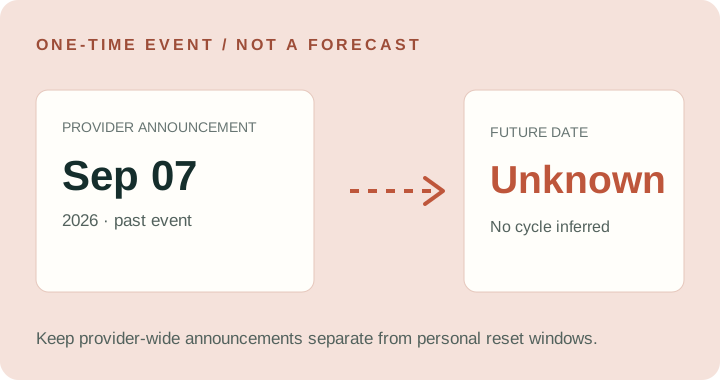
A dated announcement can restore eligible usage once. A past event does not create a recurring date.
For example, OpenAI’s help page records an automatic reset on September 7, 2026 for eligible Plus, Pro and Business users. That is a dated launch event, not a published repeating calendar. The announcement does not give a clock time or time zone, so this site lists it as an event rather than deriving an exact timestamp.
A quick way to check your actual timer
- Open the provider while signed in to the account or workspace where you use the coding tool.
- Go to Settings → Usage. For Codex, confirm the intended ChatGPT account or workspace; for Claude Code, check the Claude plan account tied to it.
- Read which limit is shown: session/five-hour or weekly. Record the displayed next reset for that limit, not another person’s estimate.
- If the displayed value does not match what you expected, refresh Usage and confirm the account or workspace before acting on it.
Common questions
Does Codex reset exactly five hours after I hit the limit?
That is not the anchor OpenAI documents. It says the next five-hour window begins when you send the first request after the previous window ends. Check Usage for the current account timer.
Is a Claude weekly reset the same for everyone?
No universal clock time is given in the plan page. Anthropic assigns a fixed weekly reset day and time to each account and shows its next reset in Settings → Usage.
Can a forecast tell me my exact Codex reset time?
A public forecast may discuss provider-wide events. It cannot read your private account timer. Use your signed-in Usage page for the next five-hour or weekly reset shown for your account.
Does a one-time reset announcement mean another one is scheduled?
No. Treat an announcement as a one-off event unless the provider publishes a recurring rule or a new dated event.
Official sources
- OpenAI Help — Managing usage with GPT-6 Astra in Work and Codex · checked 2026-09-25.
- Anthropic Help — What is the Pro plan? · checked 2026-09-25.
- Anthropic Help — What is the Max plan? · checked 2026-09-25.
- Anthropic Help — Use Claude Code with your Pro or Max plan · checked 2026-09-25.