Does a ChatGPT reset also reset Codex?
For the Work and Codex products covered by OpenAI’s usage guide, yes: they share the usage allowance included with your plan. Depending on the plan or workspace seat, that allowance can have both a five-hour window and a weekly window. If both limits apply, you need remaining usage in both to continue.
That shared allowance is not every ChatGPT limit. OpenAI says GPT-6 Pro in regular Chat has separate message limits from the Work and Codex allowance. When someone says “ChatGPT reset,” first identify the product and limit they mean. A reset announcement about Work and Codex does not establish what happens to a separate Chat limit.
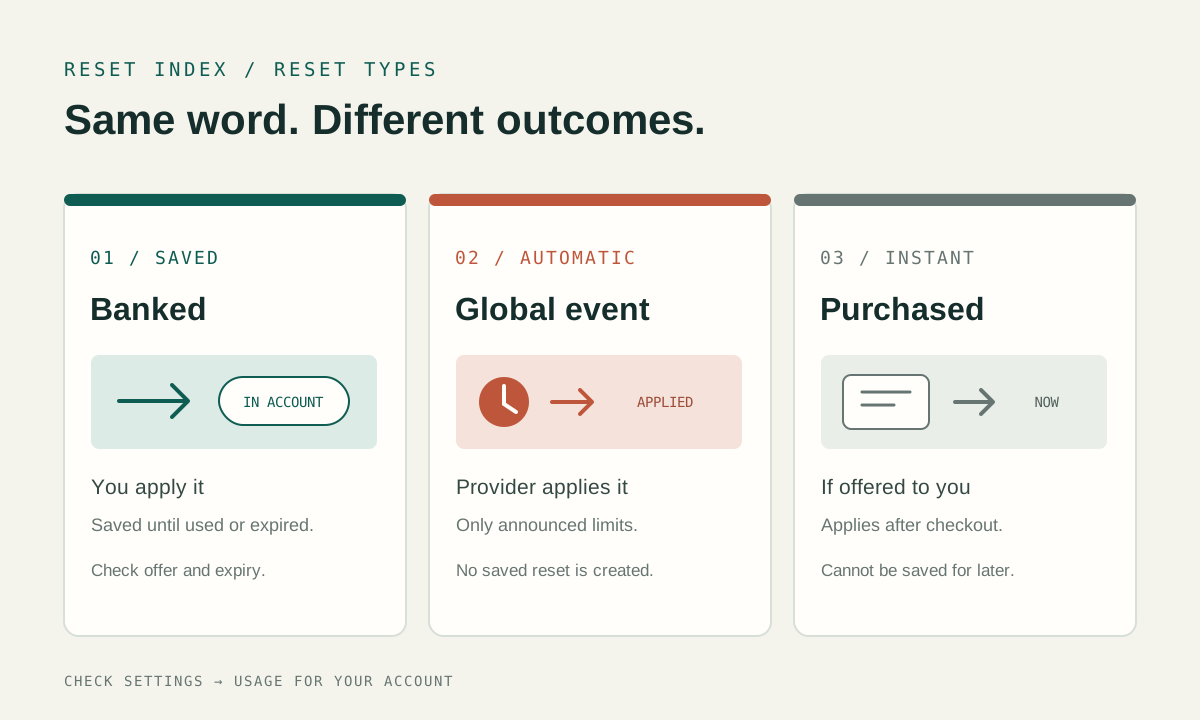
Three reset types, three different outcomes
OpenAI distinguishes saved resets from automatic resets, and its usage guide also describes purchased instant resets for eligible accounts. The word “reset” alone does not tell you whether you need to act or whether a future weekly date has moved.
| Type | How it reaches the account | Can it wait? | What to verify |
|---|---|---|---|
| Banked / saved | Stored on an eligible account as a one-time benefit; the account holder applies it. | Only until its offer-specific expiration. | Eligibility, expiry, which windows it refreshes and the changed weekly reset date. |
| Automatic / global | Applied directly to the eligible usage limits named in the announcement. | No saved reset is created. | Which plans and limits the specific announcement covers. |
| Purchased instant | Available only when the account is eligible and the option is offered. | No. The documented reset cannot be saved for later. | Whether the option appears for this account and how it moves the weekly period. |
Why a reset can move your weekly date
A full saved reset refreshes the five-hour and weekly Work and Codex windows. OpenAI says that using one changes the weekly reset date. That matters when you compare today’s Usage page with an older calendar note: the earlier date may no longer describe the account’s next weekly reset.
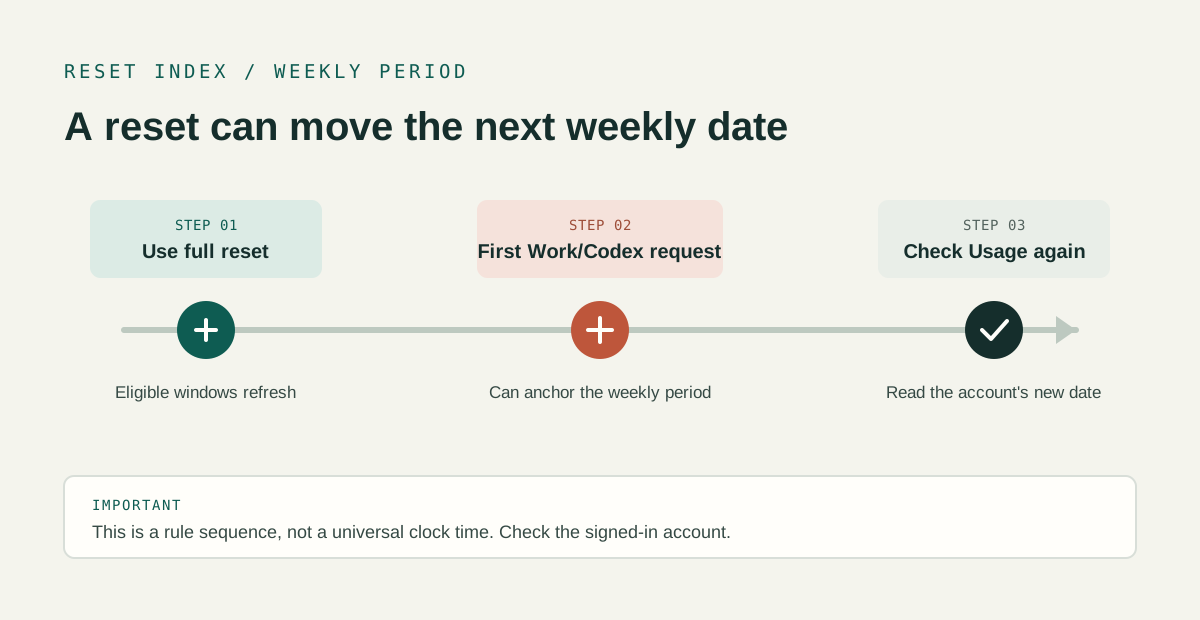
For purchased instant resets, OpenAI states the sequence more specifically: the new weekly period starts with the first Work or Codex request after the reset, and the next automatic weekly reset is seven days after that request. The saved-reset help page gives an example of a shifted date, but it does not publish one universal clock time for everyone.
A three-step check before acting
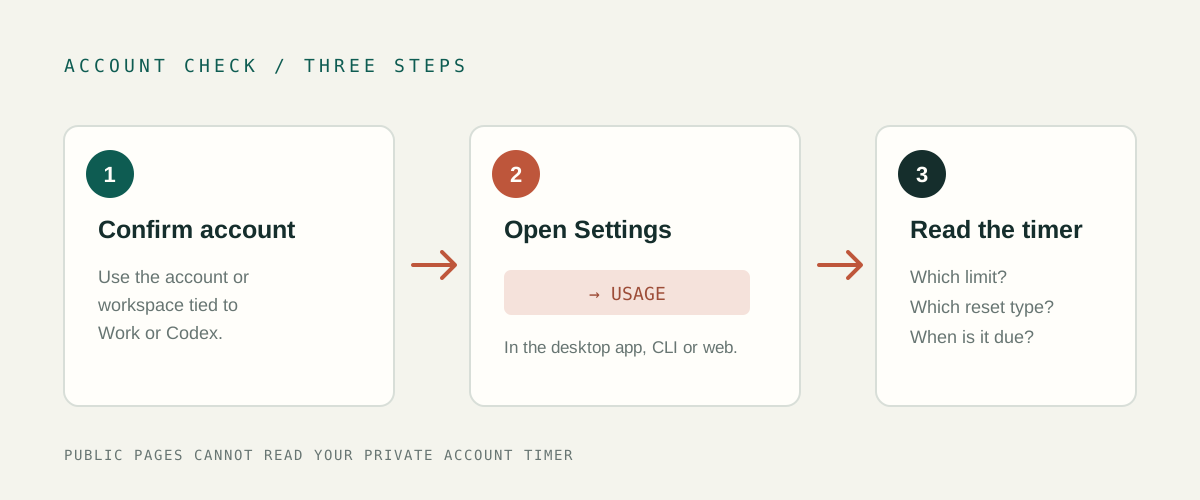
- Confirm the account and product. Open ChatGPT while signed in to the account or workspace that uses Work or Codex. If you mean a regular Chat model limit, keep that separate from the shared Work and Codex allowance.
- Open Settings → Usage. Read the limit label and the exact reset information shown there. Limits and reset options can depend on the account, plan, workspace and offer.
- Inspect a saved reset before using it. Check which eligible window it refreshes and when it expires. If no eligible window needs refreshing, OpenAI says the saved reset remains available. A reset is consumed only when it successfully refreshes at least one eligible window.
The dashboard may take a short time to update after a reset. If the percentage looks unchanged, refresh or reopen Usage and confirm the intended account or workspace before concluding that the reset did not apply.
How to read common reset messages
“1 reset available”
This describes a saved reset, not a promise that another automatic reset is scheduled. Review the offer and its expiration. Applying a full saved reset refreshes eligible Work and Codex windows and changes the weekly reset date.
“We reset usage for eligible accounts”
Read the announcement for the plans and limits it names. An automatic or global reset is applied directly; it does not create a saved reset that you can keep for later. A dated event is not a recurring calendar unless OpenAI publishes a recurring rule.
“Reset now” with a purchase option
The current OpenAI guide says purchased instant resets may be available to eligible personal Plus and Pro accounts, depending on the account and billing country. If offered, the purchased reset applies after checkout succeeds and cannot be saved for later. This article does not determine whether an individual account is eligible or recommend a purchase.
Common questions
Are ChatGPT and Codex usage limits shared?
OpenAI says Work and Codex share the plan allowance described in its usage guide. GPT-6 Pro in regular Chat has separate message limits. Check the product and limit label in Usage before comparing reset times.
Does a full banked reset refresh both Codex windows?
OpenAI says a full banked reset refreshes the five-hour and weekly Codex usage windows and changes the weekly reset date. It is consumed only if it successfully refreshes at least one eligible window.
Does a September global reset mean another one is scheduled?
No future reset is guaranteed by that past event. Treat a global reset as the dated announcement OpenAI published, and check a new announcement for its eligibility and covered limits.
Where is my exact next reset time?
Open Settings → Usage in the account or workspace you use. Public announcements and third-party pages cannot read that private account timer.
Official sources
- OpenAI Help — How banked Codex resets work · checked 2026-09-26.
- OpenAI Help — Managing usage with GPT-6 Astra in Work and Codex · checked 2026-09-26.